













Wednesday, November 18, 2026
  • About
  • Advertise
  • Privacy & Policy
  • Contact
Unlock Your Potential With AI | AI Mind Center
  • AI News & Trends

    Edge0-145B on a laptop? The 29GB claim, checked

    Gemini2.5 Pro (I/O edition) First Look: How to Get Access

    Gemini2.5 Pro (I/O edition) First Look: How to Get Access

    May the Fourth be with you: Launching AI MIND CENTER

    May the Fourth be with you: Launching AI MIND CENTER

  • AI Productivity Tools

    Seedream 5.5 blind test: FLUX 3 quality, 15x cheaper

    AI influencer character reference and cloned voice waveform on the left, three phone videos of the character on the right

    How to Create an AI Influencer: The Full Pipeline, the Failures, and What It Actually Costs

    The 17 AI Tools Actually Worth Using in 2026

    ⚡ Best AI Writing Tools 2025: Transform Your Content Creation Game

    ⚡ Best AI Writing Tools 2025: Transform Your Content Creation Game

    Top 15 AI Tools Every Developer Should Be Using in 2025

    Top 15 AI Tools Every Developer Should Be Using in 2025

  • AI for Developers

    MAI Code 2: 96% of Opus at 5% of the cost?

    Getting Started with OpenAI’s API: A Practical Guide for Developers (2026 Edition)

    Getting Started with OpenAI’s API: A Practical Guide for Developers (2026 Edition)

    How to Use GitHub Copilot: From Beginner to Advanced (Complete 2026 Guide)

    Streamlining Workflows with Semantic Kernel

    Streamlining Workflows with Semantic Kernel

    Step-by-Step: Setting Up Microsoft.Extensions.AI

    Step-by-Step: Setting Up Microsoft.Extensions.AI

    Running IA Locally with Ollama with .NET

    Running IA Locally with Ollama with .NET

  • AI in Game Development

    The Ultimate Guide to AI-Generated Assets in Unreal Engine 5.3

    7 AI Game Development Tools that Are Changing the Industry

    7 AI Game Development Tools that Are Changing the Industry

  • AI Agents & Automation
No Result
View All Result
  • AI News & Trends

    Edge0-145B on a laptop? The 29GB claim, checked

    Gemini2.5 Pro (I/O edition) First Look: How to Get Access

    Gemini2.5 Pro (I/O edition) First Look: How to Get Access

    May the Fourth be with you: Launching AI MIND CENTER

    May the Fourth be with you: Launching AI MIND CENTER

  • AI Productivity Tools

    Seedream 5.5 blind test: FLUX 3 quality, 15x cheaper

    AI influencer character reference and cloned voice waveform on the left, three phone videos of the character on the right

    How to Create an AI Influencer: The Full Pipeline, the Failures, and What It Actually Costs

    The 17 AI Tools Actually Worth Using in 2026

    ⚡ Best AI Writing Tools 2025: Transform Your Content Creation Game

    ⚡ Best AI Writing Tools 2025: Transform Your Content Creation Game

    Top 15 AI Tools Every Developer Should Be Using in 2025

    Top 15 AI Tools Every Developer Should Be Using in 2025

  • AI for Developers

    MAI Code 2: 96% of Opus at 5% of the cost?

    Getting Started with OpenAI’s API: A Practical Guide for Developers (2026 Edition)

    Getting Started with OpenAI’s API: A Practical Guide for Developers (2026 Edition)

    How to Use GitHub Copilot: From Beginner to Advanced (Complete 2026 Guide)

    Streamlining Workflows with Semantic Kernel

    Streamlining Workflows with Semantic Kernel

    Step-by-Step: Setting Up Microsoft.Extensions.AI

    Step-by-Step: Setting Up Microsoft.Extensions.AI

    Running IA Locally with Ollama with .NET

    Running IA Locally with Ollama with .NET

  • AI in Game Development

    The Ultimate Guide to AI-Generated Assets in Unreal Engine 5.3

    7 AI Game Development Tools that Are Changing the Industry

    7 AI Game Development Tools that Are Changing the Industry

  • AI Agents & Automation
No Result
View All Result
Unlock Your Potential With AI | AI Mind Center
No Result
View All Result
Home AI Agents & Automation

Windows 11 may log which coding agents you use. Check yours

Felipe Machado by Felipe Machado
November 17, 2026
in AI Agents & Automation
9
0
16
SHARES
130
VIEWS
Share on FacebookShare on XShare on Linkedin

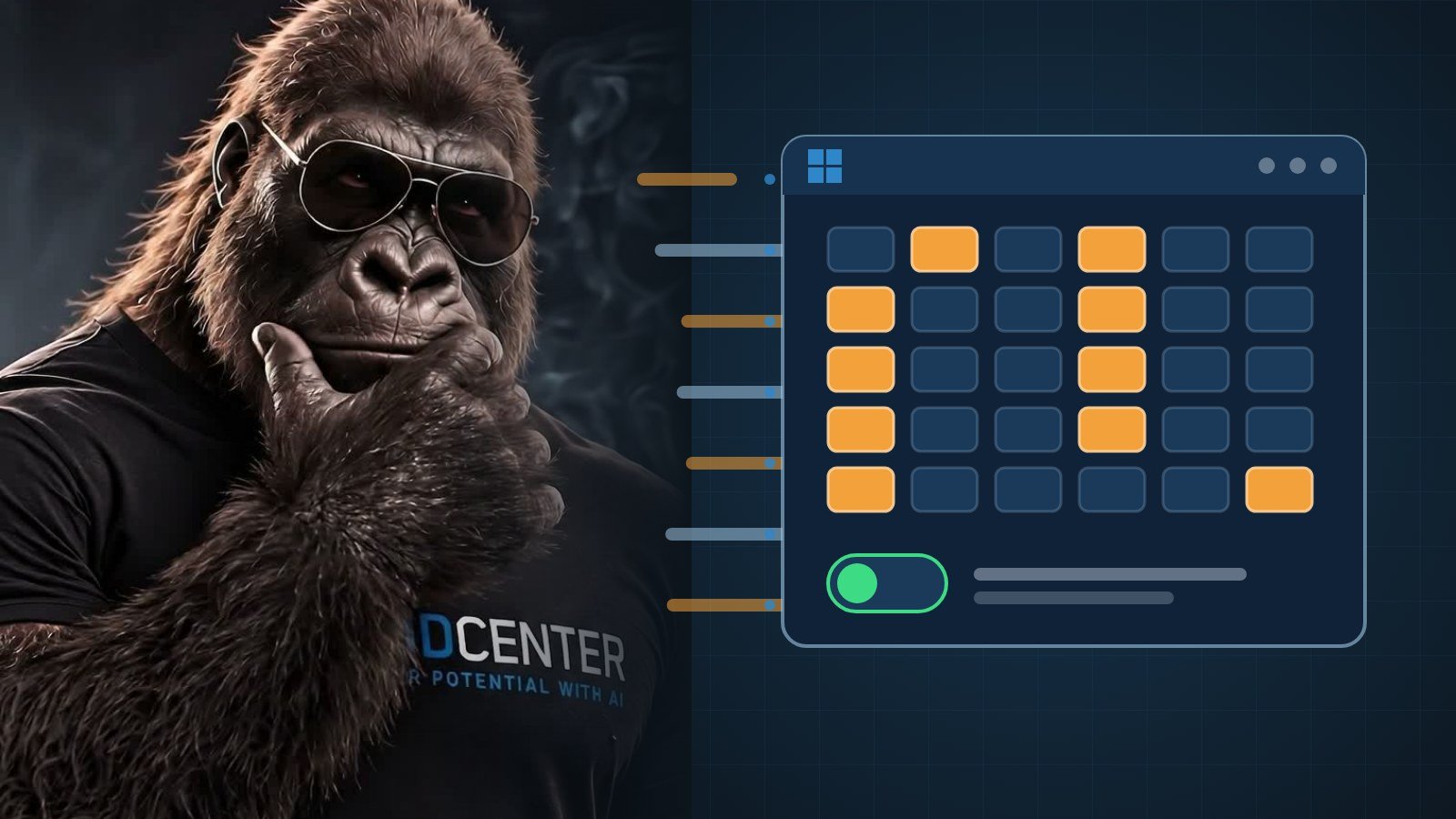
According to Xusheng Li’s analysis, a Windows 11 component called MissionControlAggregator.dll keeps a list of coding agents and developer tools you have used and, where the feature is active, uploads it to Microsoft unless you have opted out of “optional” diagnostic data. That setting was on by default in the US setup he tested. The story passed 600 points and 470 comments on Hacker News (checked 17 Nov).
Title of Xusheng Li's article about Windows 11 collecting data on which coding agents and developer tools you use

This is not about prompts or code, and the author says the feature is not active on every install. Below: what is on the list, what is and is not sent, a 3-command check, and how to turn it off.

The facts

  • How he found it. The author asked an AI to scan recent Windows binaries for undocumented features. One result was a coding agent list in MissionControlAggregator.dll. Source: Xusheng Li.
  • Agents on the list. 4 CLI slots: copilot.exe, claude.exe, codex.exe, agy.exe (plus extension-less equivalents via WSL). 5 desktop slots: github.exe, claude.exe, codex.exe, cursor.exe, antigravity.exe. Same source.
  • Dev tools. It also checks node.exe, python.exe, dotnet.exe, gcc.exe, clang.exe, gdb.exe, javac.exe, devenv.exe, code.exe and others, in 12 categories. Some also check the publisher (Node.js Foundation, Python Software Foundation, Microsoft Corporation for .NET and Visual Studio). Same source.
  • How it works. It does not scan processes. It consumes events Windows already generates. The source events carry run time, focus time and interaction counts, but the component appears to discard them and keep only a bitmap of which agents were seen. Same source.
  • What is sent. The author writes: “I found no prompt text or source code in this report”. The report is normally roughly daily. Same source.
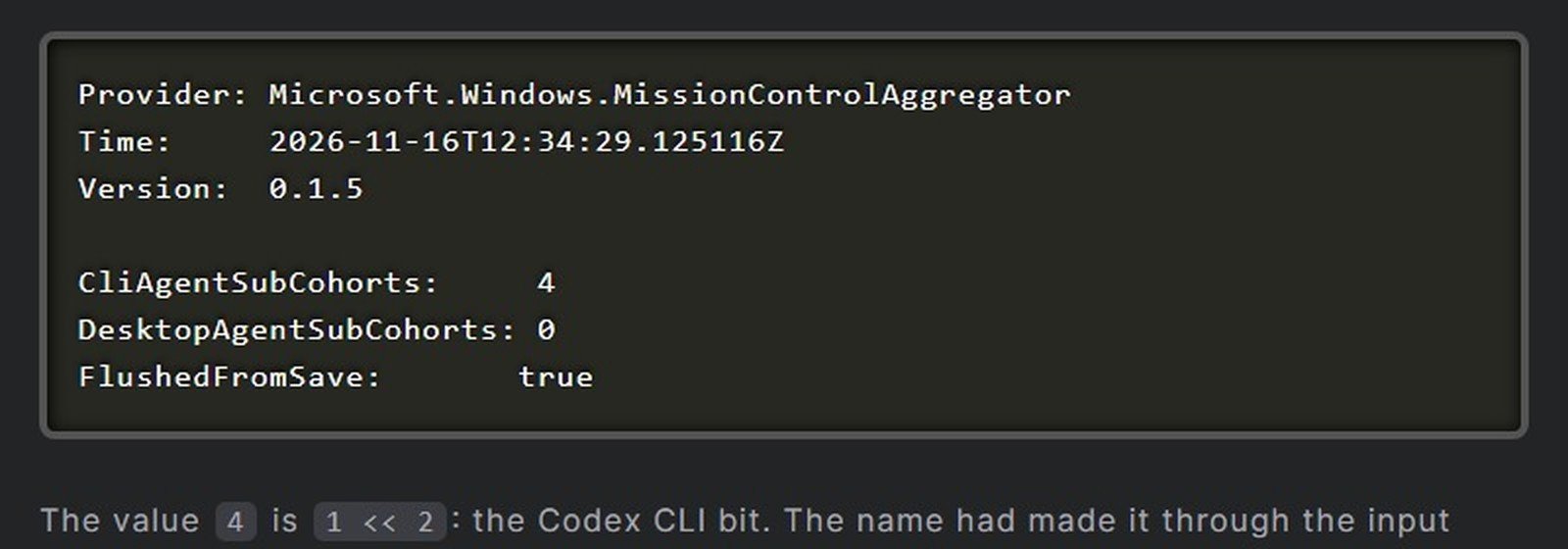
  • His test. A copy of cmd.exe renamed codex.exe produced CliAgentSubCohorts: 4 (the Codex bit). The event sat in the DiagTrack upload queue marked “isRequired”: false, so it is optional data. Same source.
  • Defaults. On a clean Windows 11 Home ARM64 install from the official ISO, US region, optional diagnostics were already on and AllowTelemetry was 3. He only confirmed this for the US setup. Same source.
  • The caveat. The public ISO’s baseline VM had the feature disabled by image default, so in the author’s words the evidence does not support saying it is active on every Windows installation. Same source.
  • Microsoft. As of 17 Nov we found no public response.
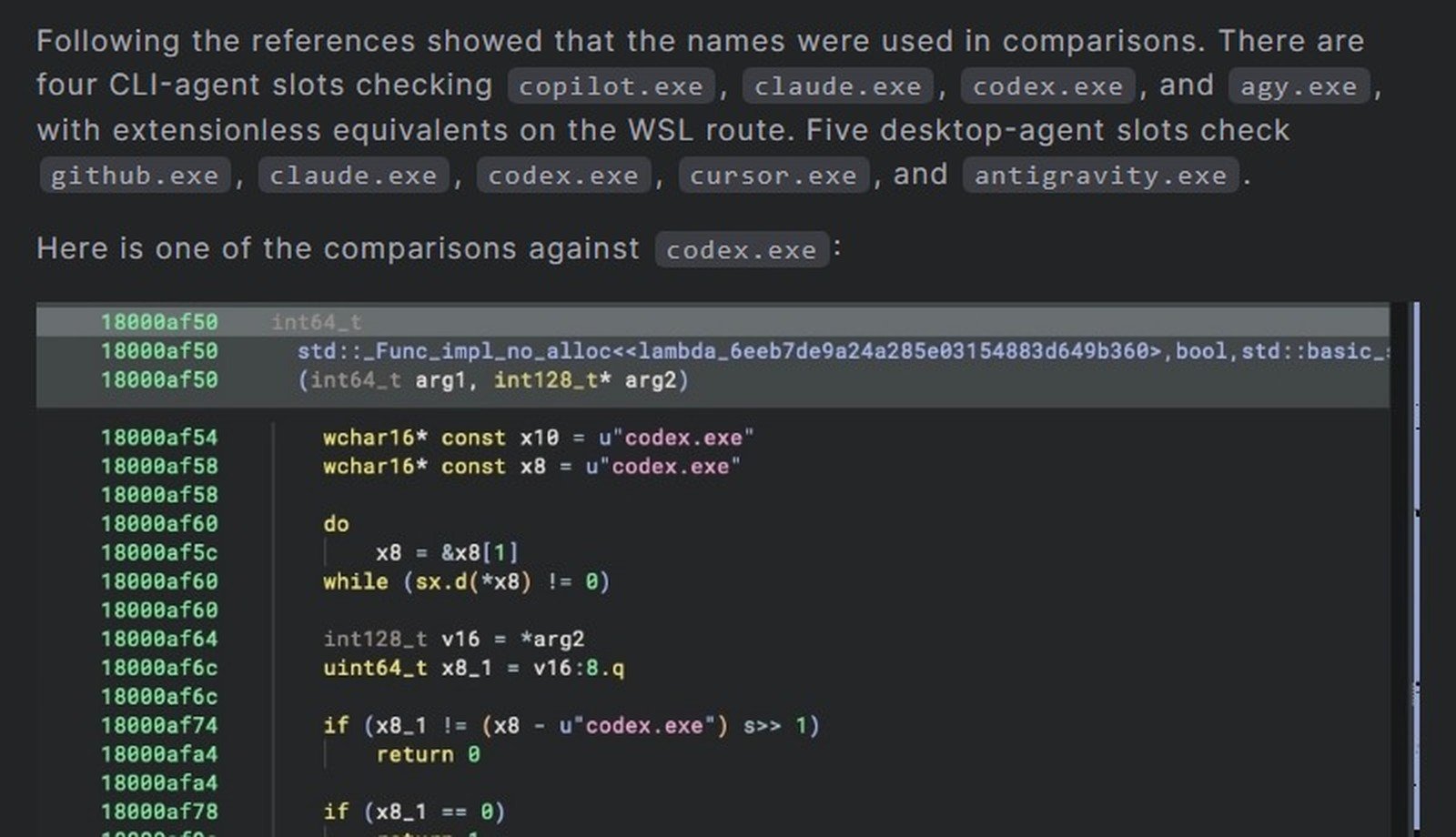
List of CLI and desktop agent slots in the analysis, with the codex.exe comparison
The author's test event showing CliAgentSubCohorts 4 after running a renamed copy of cmd.exe as codex.exe

What it changes

App developers and solo founders using Claude Code, Codex, Copilot or Cursor: your tool names may be reported, not your work. The author found a bitmap of which tools were seen, with no prompt text and no source code. If your clients’ contracts or your own policy say that tool usage must stay private, check the setting below.

Game developers: gcc, clang, gdb and Visual Studio are on the list too.

If you delegate work to agents: according to the analysis, the operating system can keep a tally of which agents ran on a machine. For a company where agents do part of the work, that is worth knowing, even if the data is small.

Everyone else: low risk, but the default in the US setup was optional data on, and it takes one setting to turn off. The feature depends on optional diagnostics, which you can turn off in one setting.

Our test

We read, without changing anything, a Windows 11 Pro 26H2 machine (build 26300.9711).

  • C:\Windows\System32\MissionControlAggregator.dll exists, version 10.0.26100.9549.
  • A UTF-16 text search found codex.exe, claude.exe, copilot.exe, cursor.exe, antigravity.exe, agy.exe, github.exe, dotnet.exe and devenv.exe. The strings SubCohorts and CliAgentSubCohorts are there too.
  • DiagTrack is Running and Automatic, and an AggregatorHost process is running.
  • AllowTelemetry is 1 here, with optional diagnostics off.
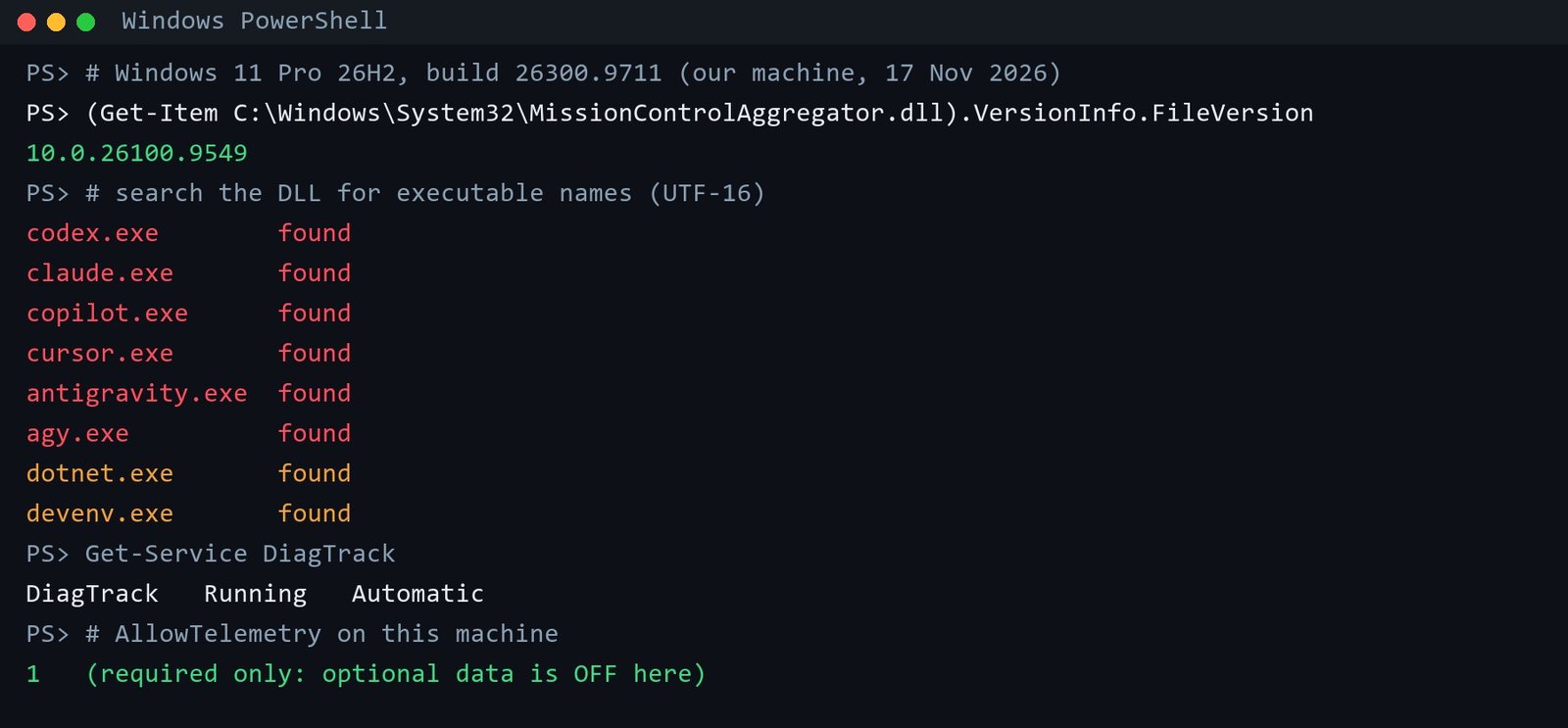
Our PowerShell results, re-typeset from the real output: DLL version, agent names found, DiagTrack status and AllowTelemetry value

Honest limit: without admin rights we could not see whether the DLL is loaded or whether the feature is active on this machine, so we do not claim either. What we can say is that the list of names is in Windows 11 26H2 Pro too, not only in the author’s build. Whether a report is sent depends on the feature being active and optional diagnostics being on.

Check and turn it off

Prerequisites

  • Windows 11 and PowerShell. Reading is enough, no admin rights needed.

Step-by-Step

  1. Check the DLL version. This shows whether the file exists on your PC.
(Get-Item "C:\Windows\System32\MissionControlAggregator.dll").VersionInfo
  1. Search the DLL for an agent name. True means the name is in the file. It does not mean the feature is active.
[Text.Encoding]::Unicode.GetString([IO.File]::ReadAllBytes("C:\Windows\System32\MissionControlAggregator.dll")).Contains("codex.exe")
  1. Read your diagnostic level. The author saw 3 with optional diagnostics on. We saw 1 with optional diagnostics off.
Get-ItemProperty HKLM:\SOFTWARE\Microsoft\Windows\CurrentVersion\Policies\DataCollection | Select AllowTelemetry

If the command returns nothing on your PC, use the Settings page in step 4 to check instead.

  1. Turn off optional data. Open Settings, then Privacy & security, then Diagnostics & feedback, and switch off “Send optional diagnostic data”. Microsoft’s guide: Diagnostics, feedback and privacy in Windows. You can also decline the optional data during setup.
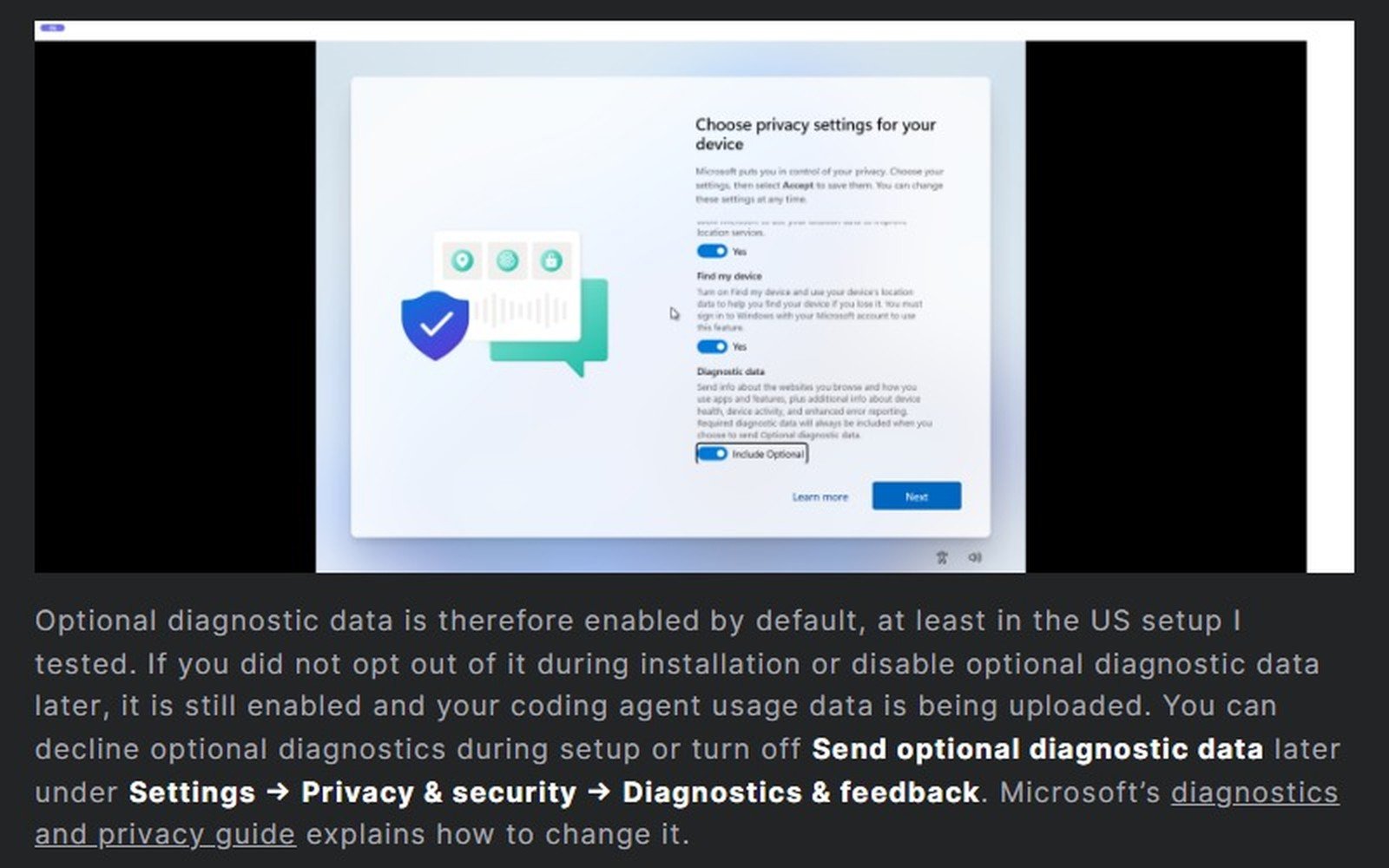
The Windows setup screen with optional diagnostic data and the steps to turn it off

We ran steps 1 to 3 on our machine. We did not change any setting.

Our take

It is a bitmap of tool names, not your code, and it may not even be active on your PC. Still, if you use coding agents for work you are not ready to disclose, turning off optional diagnostics costs nothing. Everyone else can check the setting once and move on.

Sources

  • Xusheng Li, “Windows 11 is collecting data on which coding agents and developer tools you use” (CC BY-NC 4.0). Primary source.
  • Hacker News discussion (624 points, 478 comments, checked 17 Nov).
  • Microsoft, Diagnostics, feedback and privacy in Windows

Felipe Machado

Felipe Machado

I'm truly excited about what AI has to offer—especially in how it can unlock our potential across every area of life. I dive deep into a variety of AI-related topics and share the most valuable insights and tools I've discovered that are helping me every day. That way, you don’t have to spend hours researching—I’ve done the hard work for you, so you can save time and focus on what matters most.

Related Posts

AI Agents & Automation

24,664 Lovable apps sent data without login. Check yours

November 16, 2026
AI Agents & Automation

AWS Emulator: Free, Local, and Written by Agents

November 15, 2026
AI Agents & Automation

Gemini Orchestrator: Plan Expensive, Build Cheap

November 13, 2026
Next Post

MAI Code 2: 96% of Opus at 5% of the cost?

Leave a Reply Cancel reply

Your email address will not be published. Required fields are marked *

I agree to the Terms & Conditions and Privacy Policy.

Unlock Your Potential With AI | AI Mind Center

Unlock your potential with AI Mind Center! Explore AI tools, tutorials, and inspiration to grow, create, and geek out.

Follow Us

Subscribe to our newsletter!

Browse by Category

  • AI Agents & Automation
  • AI for Developers
  • AI in Game Development
  • AI News & Trends
  • AI Productivity Tools

Recent News

MAI Code 2: 96% of Opus at 5% of the cost?

November 18, 2026

Windows 11 may log which coding agents you use. Check yours

November 17, 2026

24,664 Lovable apps sent data without login. Check yours

November 16, 2026
  • About
  • Advertise
  • Privacy & Policy
  • Contact

© 2026 | Website Made By aimindcenter.com.

Welcome Back!

Login to your account below

Forgotten Password?

Retrieve your password

Please enter your username or email address to reset your password.

Log In
No Result
View All Result
  • AI News & Trends
  • AI Productivity Tools
  • AI in Game Development
  • AI for Developers
  • AI Agents & Automation

© 2026 | Website Made By aimindcenter.com.

This website uses cookies. By continuing to use this website you are giving consent to cookies being used. Visit our Privacy and Cookie Policy.