










Some links in this article are affiliate links. If you subscribe through them, we may earn a commission at no extra cost to you. We only recommend tools we actually paid for and used, and the verdicts below are our own.
Search “how to create an AI influencer” and you will find the same video fifty times. A confident voice, a screen recording, four tools, and a finished clip in under ten minutes. What you will not find is the part where the model refuses to move, where the mouth stops halfway through the sentence, or where you watch forty credits disappear on a generation you delete immediately.
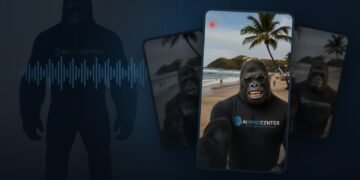
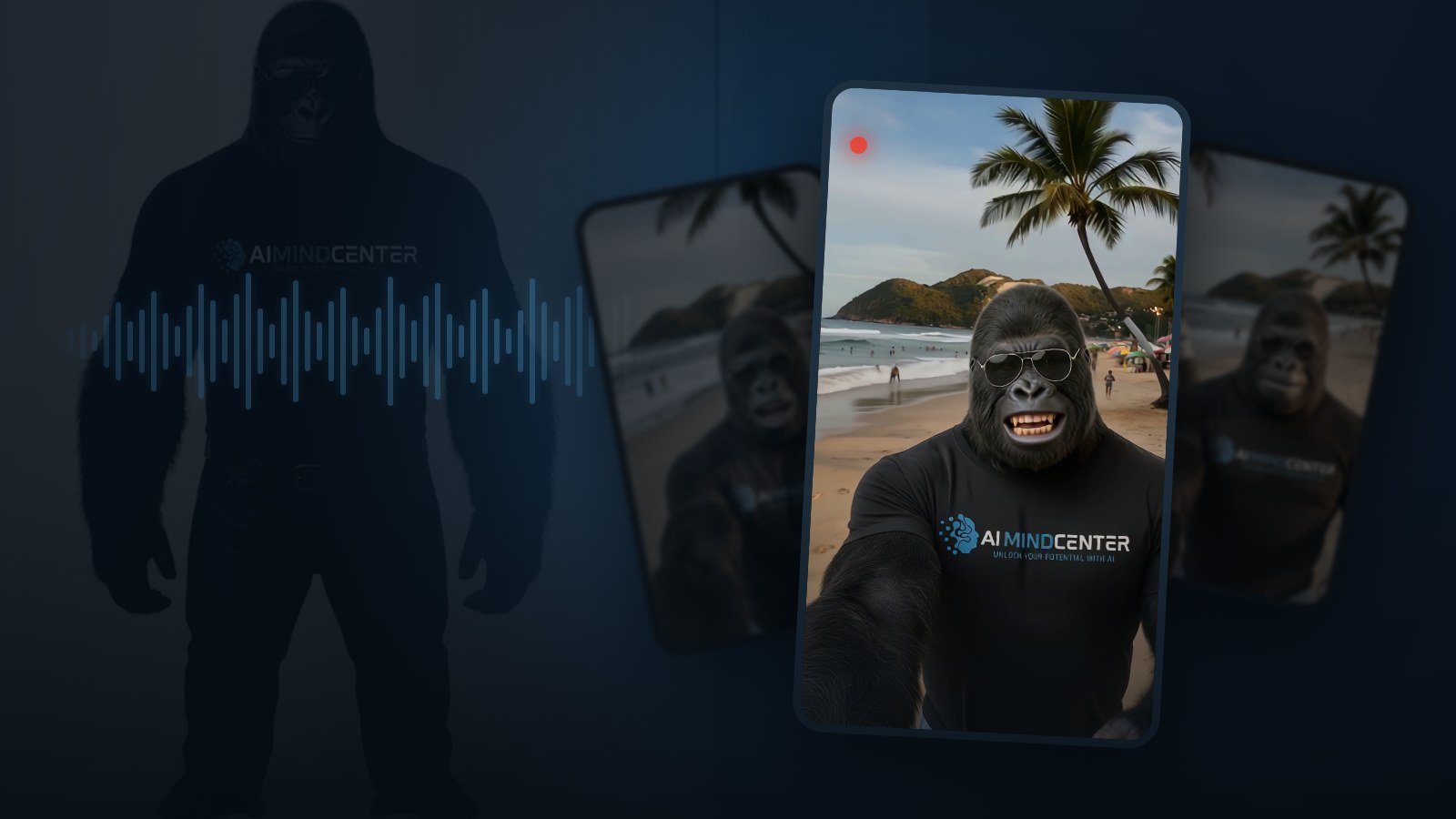
We built one. He is a gorilla in an AI Mind Center t-shirt who walks around real places talking about AI news. He took several failed pipelines, two completely wasted video models, and a genuinely embarrassing amount of money before the first usable episode existed. This article is the version we wish we had found: every step, the exact prompts, the models that did not work and why, and a cost table with real numbers instead of round ones.
What an AI influencer actually is
Strip away the hype and it is one thing: a character who looks and sounds identical in every single post, forever. Not similar. Identical. The moment your character’s jaw changes shape between two reels, the audience stops seeing a person and starts seeing a filter. Consistency is the entire product. Everything in the pipeline below exists to protect it.
Before you generate anything, pick a lane. Operators running these accounts at scale tend to split them into two buckets, and the split matters because it decides how you make money:
- Entertainment. Comedy characters, history, scary stories, travel, sports. Easier to get early views because the content needs no commitment from the viewer. Money comes almost entirely from brand deals, which means you need real scale first.
- Educational. Health, finance, software, self improvement. Harder to get early views, because you are asking for attention rather than stealing it. But every follower is worth more, because you can sell digital products, affiliate tools, courses, or consulting instead of waiting for a brand to call.
Ours is educational, which is why the gorilla talks about AI news instead of dancing. Know which game you are playing before you spend a cent, because the character design, the voice, and the script structure all change depending on the answer.
One honest note before the tutorial. The accounts you see with two million followers are survivors. For every one of them there are thousands of technically perfect AI characters posting into a void. The pipeline below is the easy part. Distribution, which we cover at the end, is the part that actually decides whether any of this works.
Step 1: Lock the identity before you generate anything
The single biggest mistake is generating a nice image, posting it, and then trying to recreate that character next week from memory and a text prompt. It will not come back. You get a cousin, not the same person.
The fix is a character reference sheet: one image containing your character from multiple angles, with the same lighting, same clothing, same everything. From that point on it is never a text prompt. It is always that file plus a text prompt.
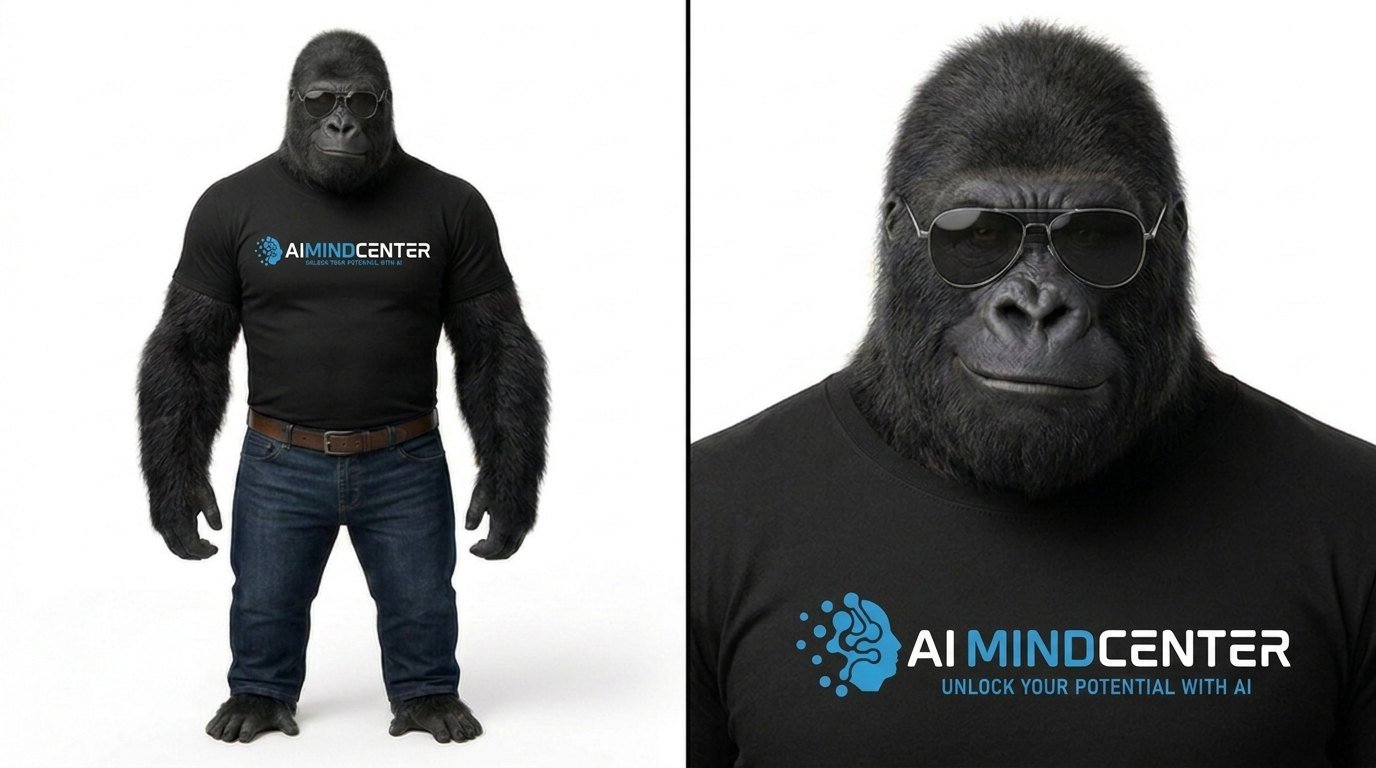
The workflow that worked for us:
- Generate a single hero image until the face is right. Prompt in layers: who the character is, then the environment, then the style and skin detail, then the camera. Do not mix them into one long sentence.
- Take that image into an image editing model and ask for a multi angle sheet built from it, holding the outfit and face constant.
- Save it. That file is now the law. Every future generation references it.
A detail worth stealing: if your character wears branded clothing, transfer the outfit onto the sheet as a separate step, using the logo file as a second reference image and an instruction along the lines of “transfer only the outfit to the character reference image, everything else stays the same”. Trying to describe a logo in words produces garbled text on the shirt every single time. We rebuilt our gorilla’s t-shirt three times before doing it this way.
Step 2: The voice is half the character
People recognise voices faster than faces on a phone with the screen half covered by a thumb. Pick one and never change it.
There are two honest routes here:
- Choose or design a voice. ElevenLabs has a large voice library plus a voice design feature where you describe the voice in words and it generates candidates. This is the faster path, it is what most tutorials use, and it is the right choice if you do not have a specific voice already in your head.
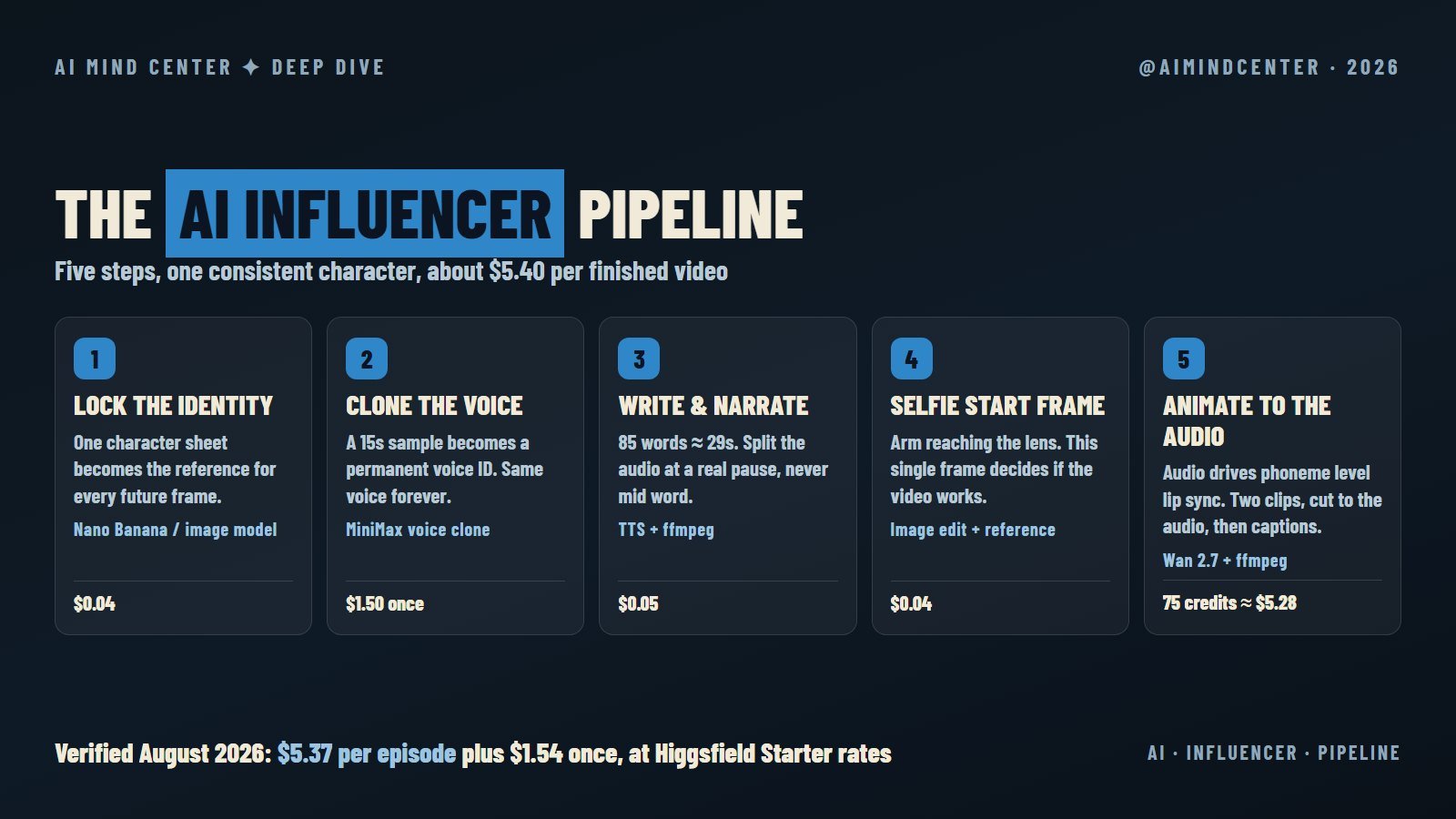
- Clone a voice. If you already have a sample you love, a clone gives you a permanent voice ID you call from an API forever. We used MiniMax’s cloning endpoint through fal.ai. One request, one dollar fifty, and the voice never drifts again.
We went with the clone because our character’s voice existed before the pipeline did, and because a fixed voice ID is trivial to automate. If you are starting from nothing, the library route is faster and cheaper.
Two rules we learned the expensive way:
Never speed up the audio past about 1.1x. It is tempting when your script runs long. Do not. Past that point the delivery loses its character and starts sounding like a podcast on double speed. If the script does not fit, cut words. Always cut words.
Do the arithmetic before generating. Roughly 85 spoken words lands at about 29 seconds. Write to the length you need instead of trimming afterwards, because trimming a narration track after the video is generated means the mouth keeps moving after the sound stops.
Step 3: The start frame decides whether the video works
This is the finding we would pay to have known earlier, and we have not seen it stated anywhere else.
Video models do not really invent a shot. They continue the one you hand them. If your start frame is a medium shot of your character holding a phone, the model reads that as “someone else is filming this person” and gives you a static third person clip. It does not matter how many times your prompt says selfie.
The frame has to already be the selfie. Head and shoulders filling the frame, wide angle distortion, and critically, the character’s own arm entering the frame from the bottom corner, foreshortened and slightly out of focus, because that is the arm holding the phone.
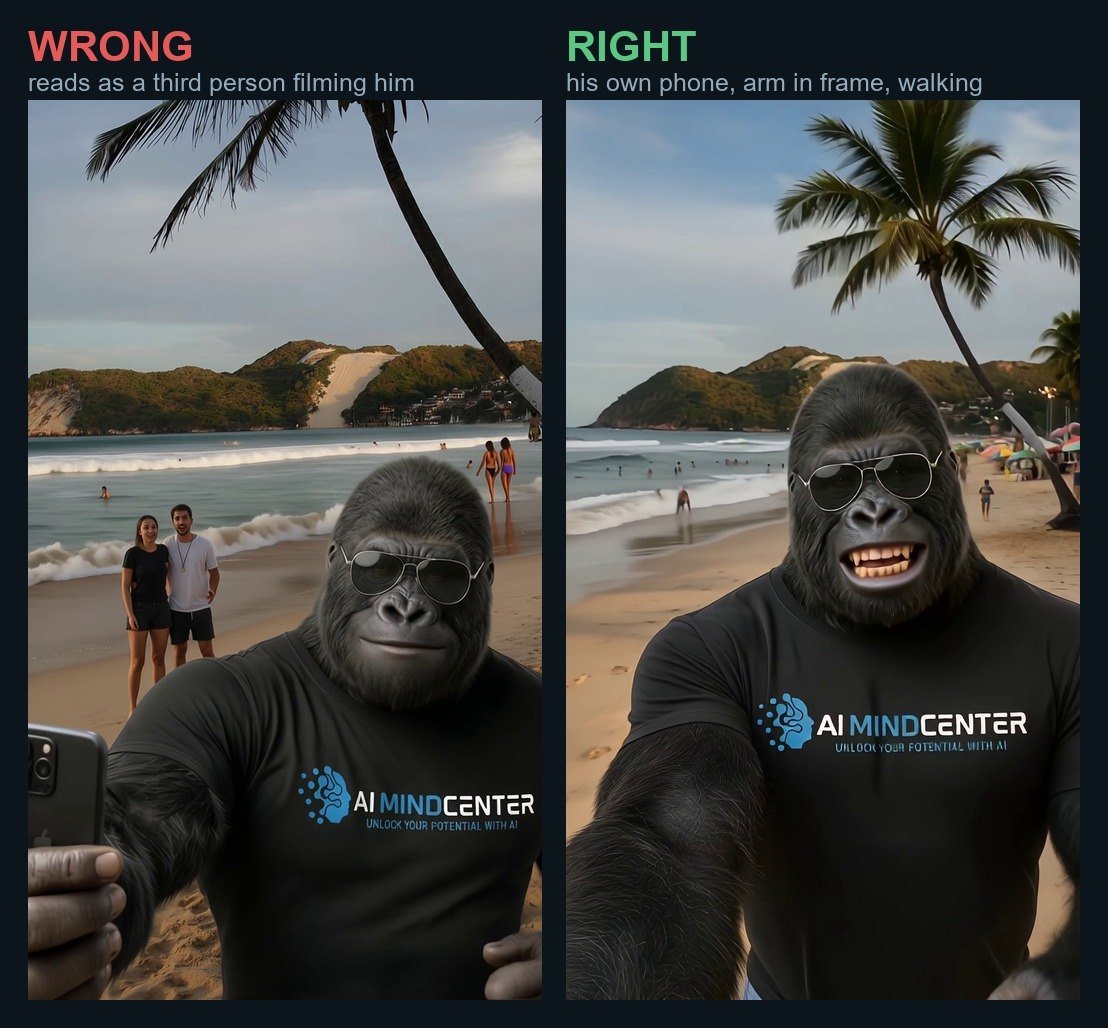
Left is our first attempt. Everything about it is technically fine and it reads instantly as a camera crew. Right is the same character, same location, same model, with the arm in frame. That single change is the difference between a clip that looks like a phone video and a clip that looks like a commercial.
Here is the actual prompt we use, with the parts you would swap in brackets:
Extreme close selfie photo shot on a smartphone FRONT camera held by the character himself at arm length, 50 centimeters from his face, while he walks. [YOUR CHARACTER] from the reference image, identical face, his head and shoulders FILL most of the frame, face large and close to the lens, camera slightly above eye level, strong wide angle selfie distortion. CRITICAL: his own arm is clearly visible entering the frame from the bottom left corner, stretched diagonally toward the lens, forearm foreshortened, thick and slightly out of focus because it is the arm holding the phone. Slight motion blur and a tilted imperfect framing because he is walking. Mouth open mid speech, warm smile. BEHIND HIM, [REAL LOCATION, with people far away and small, recognisable landmarks]. Nobody near him. Authentic amateur phone selfie look, photorealistic, no text, no watermark.
The “people far away and small” clause matters more than it looks. Real busy locations have crowds. If you do not push them into the background, the model either empties the beach, which looks fake, or puts strangers close enough that their faces melt.
Step 4: Making it move, and actually speak
This is where most of the money goes and where most tutorials get vague. We tested four routes on the same character with the same audio. Only one survived.
| Model | What happened | Verdict |
|---|---|---|
| Kling 3.0 | Improvises its own voice instead of following the audio you provide. The lip sync drifts and the mouth stops before the last words are spoken. Two generations wasted before we accepted it. | Do not use for dialogue |
| OmniHuman | Lip sync was genuinely good. The video was also completely static, because the model locks the body to keep the face stable. | Fine for a talking head, useless for a walking selfie |
| Seedance (via API) | Commonly described as using your voiceover as the character’s dialogue. In our test the character never opened his mouth at all and the clip came back with no speech. It also requires an end_user_id field or it returns a content policy error that has nothing to do with your content. |
Did not do what we expected |
| Wan 2.7 | Audio driven, phoneme level lip sync. Mouth articulated to the final word. Handled walking motion and camera shake. | This is the one |
We ran Wan 2.7 through Higgsfield, which is where the model sits alongside the image tools. One thing worth knowing before you subscribe: some of the newest video models on that platform are gated behind the higher tiers, so check that the specific model you want is included in the plan you are buying.
A 15 second cap per generation is normal across these models, so a 29 second video is two clips. Three details make the seam invisible:
- Split the audio at a real pause, never mid word. Use the ffmpeg
silencedetectfilter to find actual silences rather than cutting at the halfway mark. Leave about 0.25 seconds of silence at the end of each piece. - Clip two starts from the last frame of clip one. Extract it with ffmpeg and feed it back as the start image. Same character, same light, same position.
- Tell the model he is walking. A prompt without an explicit, repeated instruction to walk forward produces a person standing still. Ours says the phone shakes with every step and the scenery slides past with parallax.
Step 5: Assembly, and how to check it objectively
Video models return audio that has been through their own encoder, and it always sounds slightly worse than what you generated. So the last step is not just stitching:
- Trim each clip to the exact length of its own audio piece.
- Concatenate the clips.
- Throw away the model’s audio entirely and remux your original narration over the top.
- Mix ambience for the location underneath at around 13 percent. This is a small thing that makes a large difference, because a walking beach video with studio clean audio feels wrong.
- Burn in captions. Most people watch muted.
How to check the result objectively, in Python
Now the part we think is genuinely missing from every guide out there: stop judging your video by looking at frames. Frames lie. A static video looks perfect frame by frame. We wasted an entire generation because the stills were beautiful and the clip turned out to be a photograph with a moving mouth.
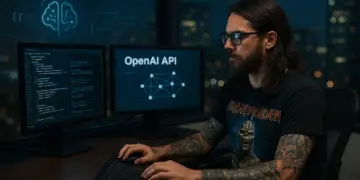
So before accepting any generation, we run a short Python script that answers two questions with numbers instead of opinions. Is the camera actually moving, and is the mouth still moving when the audio ends. It compares two frames pixel by pixel and returns how different they are, on a scale where 0 means identical and 255 means completely different.
Prerequisites
- Python 3.9 or newer
- Pillow, the Python imaging library:
pip install pillow - ffmpeg available on your PATH, which you already need for the assembly step above
Step 1. Pull the frames you want to compare out of the finished video. The value after -ss is the timestamp in seconds. Take a pair one second apart somewhere in the middle to test the camera, and a pair inside the last two seconds to test the mouth.
ffmpeg -y -ss 8  -i episode.mp4 -frames:v 1 f08.png
ffmpeg -y -ss 9  -i episode.mp4 -frames:v 1 f09.png
ffmpeg -y -ss 27 -i episode.mp4 -frames:v 1 f27.png
ffmpeg -y -ss 29 -i episode.mp4 -frames:v 1 f29.png
Step 2. Save this as motion.py. It converts both frames to greyscale, subtracts one from the other, and returns the average difference across every pixel. The optional box argument crops both frames to a region first, which is how you measure the face on its own instead of the whole picture.
from PIL import Image, ImageChops, ImageStat

def motion(frame_a, frame_b, box=None):
    """Average pixel difference between two frames, 0 to 255."""
    a, b = Image.open(frame_a), Image.open(frame_b)
    if box:
        a, b = a.crop(box), b.crop(box)
    diff = ImageChops.difference(a.convert("L"), b.convert("L"))
    return ImageStat.Stat(diff).mean[0]
Step 3. Run the two checks. The box is a rectangle in pixels written as (left, top, right, bottom), drawn around your character’s face. Open one of the frames in any image viewer and read the coordinates off it once. The framing barely moves between clips, so the same box works for the whole episode.
from motion import motion

# Is the camera really moving, or is this a photo with a talking mouth?
print("background:", motion("f08.png", "f09.png"))

# Is the mouth still articulating when the narration ends?
print("face:", motion("f27.png", "f29.png", box=(300, 250, 800, 850)))
How to read the numbers. These thresholds are ours, measured on 1080 by 1920 clips of a character walking outdoors. If your character sits still in a room, yours will be lower, so calibrate on one clip you already consider good and use that as your floor.
- Background above 20 means the camera is genuinely moving. Below roughly 12 means it is not, no matter how good the stills look. Reject it and regenerate.
- Face above 20 in the last two seconds means the mouth is still articulating when the audio ends. This is exactly the failure we could not see by eye and that cost us two Kling generations.
For reference, the static attempt we rejected scored 10 to 11 on background motion. The one we approved scored 47 to 48, and 33.6 on face motion at the 14.3 second mark. Then watch the assembled video anyway. The numbers catch the failures your eyes miss, and your eyes catch everything the numbers cannot.
What it actually costs
Before the table, the caveats matter more than the numbers. Pricing on these platforms moves constantly, and we do not want to leave you with a figure that is already wrong by the time you read it.
- We were on the Higgsfield Starter plan. That was 19 dollars for 270 credits a month when we checked in August 2026, which works out to roughly 7 cents a credit. Every Higgsfield number below is converted at that rate, on that plan.
- Higher plans change the arithmetic completely. Higgsfield bundles long running unlimited access to several image models into its paid tiers. On the right plan the two image steps in this pipeline cost nothing at all instead of 4 cents each, and some tiers extend unlimited access to video models too.
- There is almost always a promotion running. Limited time offers regularly include unlimited generation across a list of top video models. If one is live the week you sign up, your first month will look nothing like our table.
- Consumption is not identical across access routes. Generating in the web app, through the API, or through an MCP integration can draw different amounts of credit for the same idea, and resolution and clip length change the cost again on top of that.
So read the table as one honest data point, from one real month, on one specific plan. It is not a price list. Check the current pricing page on the day you subscribe, and check which models your chosen tier actually includes before you pay, because that is where the real difference is.
| Item | Model | What we paid | When |
|---|---|---|---|
| Character sheet | Image model | $0.04 | Once |
| Voice clone | MiniMax voice clone, on fal.ai | $1.50 | Once |
| Narration, about 480 characters | MiniMax speech-02-hd, on fal.ai | $0.05 | Per episode |
| Selfie start frame | Nano Banana edit, on fal.ai | $0.04 | Per episode |
| Two 15 second clips, 1080p | Wan 2.7, 75 credits on Higgsfield Starter | $5.28 | Per episode |
| Assembly, captions, audio mix | ffmpeg | $0.00 | Per episode |
| Total per finished episode | $5.37 |
Five dollars and change for a finished, captioned, lip synced 29 second video. That is roughly the number the tutorials quote, and on this plan it is true.
The pay per use alternative
If you would rather not commit to a subscription at all, most of these steps have a pay per use equivalent on fal.ai, where you are billed per request with no monthly minimum. These are the listed prices we paid there in August 2026:
- Nano Banana image edit, for the character sheet and the start frame: $0.039 per image
- MiniMax speech-02-hd, for the narration: $0.10 per 1000 characters, so about 5 cents for a 29 second script
- MiniMax voice clone, a one off: $1.50 per clone
- OmniHuman v1.5, the audio driven video model we tested there: $0.16 per second, so about $4.64 for a 29 second episode
The same warning applies, and one more on top: model availability differs between platforms. A model you find on one may simply not exist on the other, and the version numbers do not always line up. Verify both the price and the model on the day you run it.
If you are still deciding which subscriptions are worth having at all, we keep an honest list of the AI tools actually worth using, with current prices and a note on who should skip each one.
The number the tutorials do not quote
Everything above is the cost of the video that worked. Here is our actual billing history for that same single video:
- Two Kling 3.0 generations, before we accepted it could not follow our audio: 60 credits, about $4.22
- Two Wan 2.7 clips with the wrong framing, the ones on the left of the comparison above: 75 credits, about $5.28
- Two Wan 2.7 clips that actually worked: 75 credits, about $5.28
So the video cost 5 dollars 37. Arriving at the video cost just under 15 dollars, and that only counts the generations, not the two evenings. Budget for a first month where two thirds of your spend is tuition. On the 19 dollar plan with 270 monthly credits, that is roughly three finished episodes once you know what you are doing, or one, if it is your first week and you are still learning what your start frame needs to look like.
The part that actually decides whether this works
You can nail everything above and still get 40 views. We know, because our own account is small and slow, and pretending otherwise would make this article worthless.
Three things are worth internalising.
Likes are the metric that matters least. Operators running these accounts consistently report optimising for watch time, saves, and shares instead. The benchmarks people in this space quote for content that breaks out are roughly: held attention measured in tens of seconds rather than the three to five a normal post gets, around one save for every ten viewers instead of one in thirty, and five to ten percent resharing instead of two. Treat those as directional targets from practitioners rather than published platform figures, but the ranking is right. A video someone sends to a friend is worth more than a hundred likes.
Cold start is real and it is brutal. A new account gets shown to a tiny, unresponsive test audience. If those first few people scroll past, distribution never expands. This is the phase where most AI influencer accounts die, and no amount of render quality fixes it.
Be careful with the shortcuts. The two most commonly sold fixes are buying an aged account with existing momentum, and paying for targeted traffic to simulate early engagement. Both exist, both are marketed heavily by the people who sell them as a service, and both carry real risk. Bought accounts frequently come with an audience that will never care about your niche, and artificial traffic can teach the algorithm to show your content to people who do not want it. The unglamorous alternative, posting daily and spending thirty minutes a day actually talking to people in your niche, is slower and does not fail silently.
The replication checklist
If you are going to build one this week, do it in this order:
- Decide entertainment or educational, and write down how the account makes money. If you cannot answer the second part, stop here.
- Generate one hero image, then turn it into a multi angle character sheet. Transfer branded clothing as a separate step with the logo as a reference image.
- Lock a voice. Library, designed, or cloned. Save the ID.
- Write to 85 words for 29 seconds. Cut words rather than speeding up audio.
- Generate the narration first, then split it at a real silence, not at the midpoint.
- Build the selfie start frame with the arm in frame. Regenerate until it is right. It costs 4 cents and it decides everything downstream.
- Animate with an audio driven model. Clip two starts from the last frame of clip one.
- Assemble with ffmpeg, remux the original narration, add ambience and captions.
- Measure background motion and face motion before you accept the result. Then watch it.
- Post daily at first. Judge yourself on saves and shares, not likes.
Is it worth it
Honestly, it depends what you want from it. If you want a business where a synthetic character sells a 27 dollar ebook while you sleep, understand that the character is the cheap part and the audience is the expensive part.
But if you want a repeatable way to put a consistent face on a brand without owning a camera, this pipeline works, it costs about five dollars a video, and it takes twenty minutes once you stop making the mistakes we made. Our gorilla is not going to be a millionaire. He is, however, a genuinely good way to show what these tools can and cannot do, which is what this site is for.
We are documenting each episode as we go, including the ones that fail. If you want the next instalment, the videos live on @aimindcenter.